

Lattice Tasks
All your team's work in one place
Lattice Tasks is where teams plan, build and ship together. Issues and projects, messages and calls, docs and whiteboards, goals and time tracking sit in one workspace, with an assistant that knows all of it and updates the moment anyone changes something.
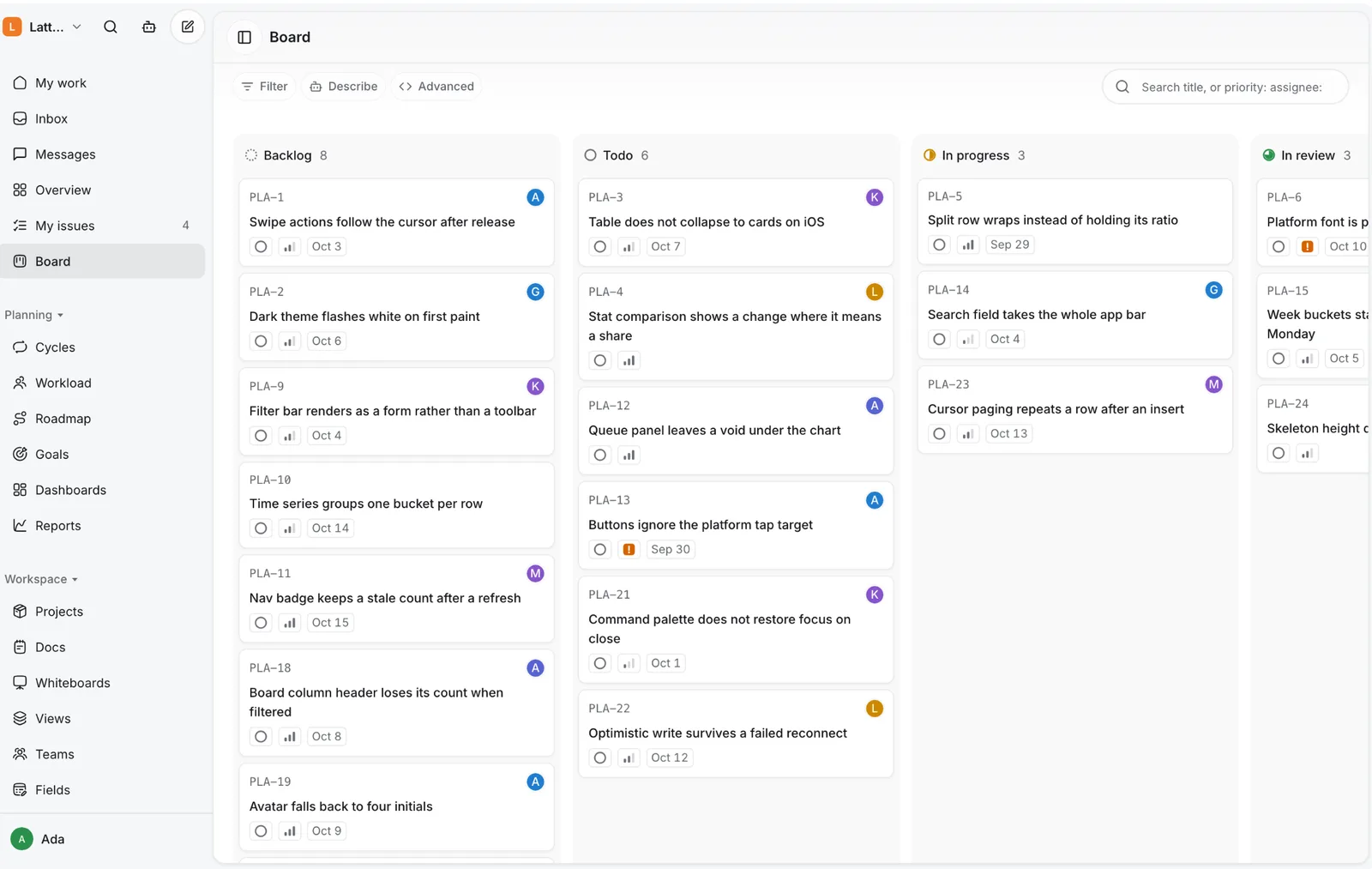
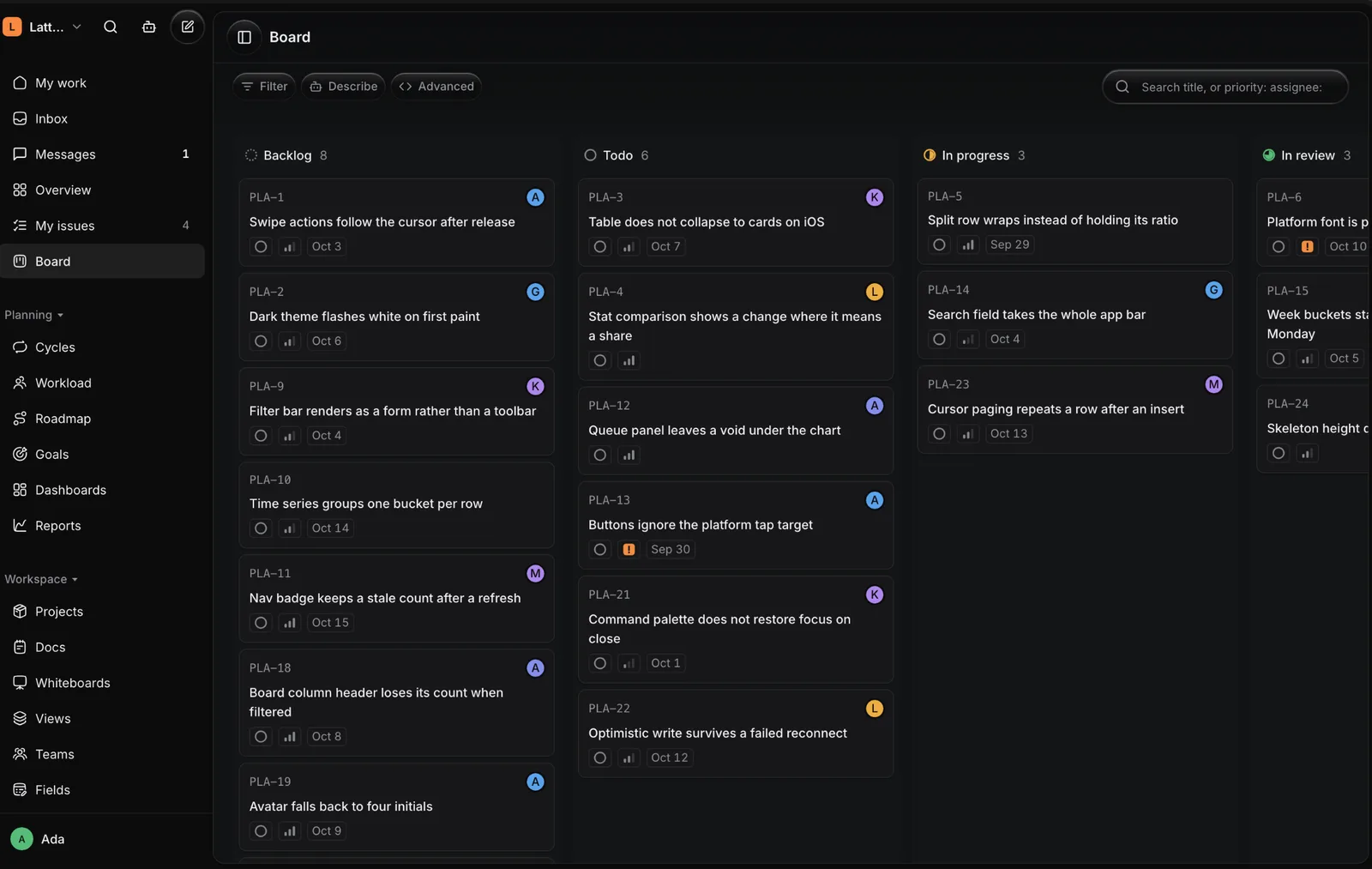
How a team works in Lattice
5 chapters, in the order work happens. Each one changes one part of the screen.
- 1.0Plan
Everyone sees the same plan.
Issues sit on a board, in a list or on a roadmap. Move a card and it moves for the whole team at once.
- 2.0Talk
The conversation sits beside the work.
Channels and threads live next to the issues they are about, so a decision is never lost in another app.
- 3.0Write
The spec lives with the project.
Docs, whiteboards and forms are filed beside the work they describe, and a form's answers arrive as issues.
- 4.0Track
Progress shows itself.
Goals fill in as issues close and time adds up per project, so nobody has to ask where things stand.
- 5.0Ask the AI
An assistant that knows the workspace.
Ask what is blocked or what is due, catch up on a thread, and approve each change it proposes before it happens.
What Lattice replaces
A tracker in a spreadsheet, with a status column someone forgets to update and a copy for every team.
One set of issues, seen as a board, a list or a roadmap, that updates for everyone the moment it changes.
- Owners, due dates and priorities on every issue
- Views saved and shared across the team
- Import from CSV, or from Linear, Jira, ClickUp, Asana, Notion or Trello
Decisions made in a group chat, then retyped into a task somewhere else, or not at all.
Channels and threads beside the work, where a message becomes an issue in one step.
- Channels, direct messages and threads
- Huddles and calls, summarised afterwards
- Mentions and approvals in one inbox
Hours typed into a separate time sheet at the end of the week, from memory.
A timer on each issue and a weekly timesheet, reported per person or per project.
- Start and stop a timer on the issue itself
- Billable time kept apart
- Time against what each project was estimated to take
Plan and track
Spaces and projects
Group work by team or client in spaces, with folders and projects inside, so everyone knows where a piece of work lives.
Boards, lists and a roadmap
The same issues as a board, a list or a roadmap, filtered in plain words and saved as views the team shares.
Cycles and releases
Plan work into cycles, track what ships in each release, and see the load on each person before it becomes a problem.
Planner
Your day and week as a calendar, with what is due waiting beside it. Drag an issue onto a time to plan it.
Automations
When this happens, do that: assign, label, ask for approval, post a message or send a reminder, without anyone doing it by hand.
Talk and decide
Messages and channels
Channels, direct messages and threads beside the work, with issues that open right in the conversation.
Calls
Huddles in any channel and calls in a direct message, planned ahead with a link to join, and summarised afterwards.
Comments, mentions and approvals
Discuss an issue where it lives, ask someone for something, and collect approvals in one inbox.
Write and think
Docs
Pages for specs, notes and plans, filed beside the projects they belong to.
Whiteboards
A shared canvas for sketching a plan or a flow before it becomes work.
Forms
Intake forms whose answers become issues, shared by a link with your workspace or with anyone.
See progress
Dashboards and reports
Live dashboards and reports that move the moment the work does, so status meetings stop being needed.
Goals
Measurable targets that fill in as issues close, with key results rolling up into the objective above them.
Time tracking
Start a timer on an issue, fill in a weekly timesheet, and report time per person or per project, billable part included.
AI
Ask
Ask what is due this week or which urgent issues have no owner, and get the answer from your own workspace.
Summarise
Catch up on a channel, a thread or a call in a few lines, with its action items one step from becoming issues.
Draft
Turn a conversation into an issue drafted from what was said. Every change the assistant proposes waits for your approval.
CitaPay
Collect payments through links, checkout, invoices and subscriptions. Pay out in bulk. Built on a developer-first API with sandbox and signed webhooks.
Learn more
CitaTech POS
A multi-store till with barcode scanning, variant-level stock, purchasing, staff shifts and reporting, plus an online storefront sharing the same stock.
Learn more